► Essential Guide to Capsule for Developer Tools Professionals
Capsule CRM: A Developer's Guide to Customer Relationship Management What is Capsule? As a long-time CRM consultant, I've worked extensively with [Ca...
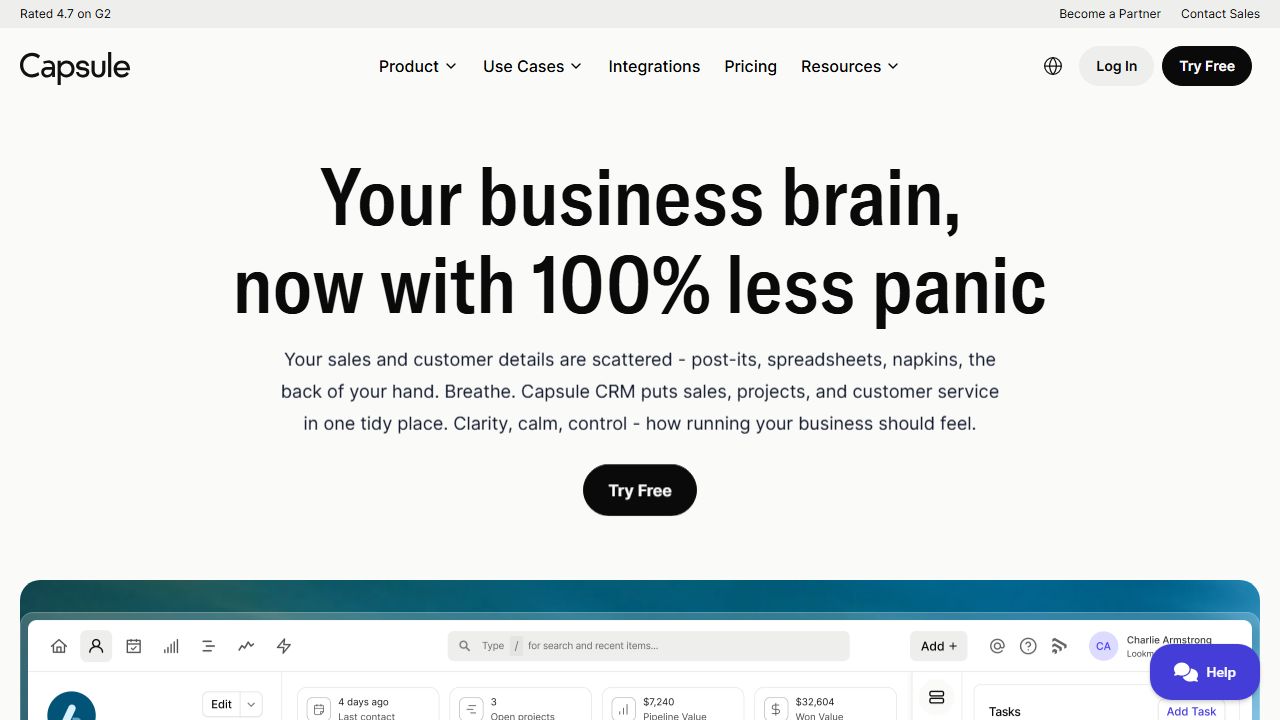
[ Device Preview - Capsule ]
════════════════ DEVICE SPECIFICATION ════════════════
Capsule CRM: A Developer's Guide to Customer Relationship Management
What is Capsule?
As a long-time CRM consultant, I've worked extensively with Capsule, a customer relationship management platform that stands out for its clean interface and developer-friendly approach. Capsule is designed to help teams track relationships, sales pipelines, and business opportunities without the bloat of enterprise CRMs. What I particularly appreciate is its REST API and webhook capabilities, making it a solid choice for developers who need to integrate CRM functionality into their existing tech stack.
Key Features and Capabilities
After implementing Capsule across various organizations, I've found these features particularly valuable:
- ►REST API Integration
- ►Comprehensive API documentation with authentication via API tokens
- ►JSON-based responses for easy parsing
- ►Rate limits of 2400 requests per hour (significantly higher than competitors)
- ►Webhook support for real-time data synchronization
- ►Custom Fields and Tags
- ►Dynamic field creation for contacts, organizations, and opportunities
- ►Custom field types including text, numeric, date, and dropdown
- ►Flexible tagging system with API access
- ►Ability to create field validation rules
- ►Pipeline Management
- ►Configurable sales pipelines with custom stages
- ►Milestone tracking and automation triggers
- ►API endpoints for programmatic pipeline updates
- ►Built-in reporting and analytics
- ►Contact Management
- ►Contact merge detection and handling
- ►Relationship linking between contacts
- ►History tracking with audit trails
- ►Email integration with major providers
Getting Started
Here's my recommended setup process for developers:
- ►
Create an account at Capsule's website
- ►
Generate API credentials:
- ►Navigate to Settings → API Authentication
- ►Create a new API token
- ►Store the token securely in your environment variables
- ►
Initial API setup:
import requests

headers = {
    'Authorization': 'Bearer YOUR_API_TOKEN',
    'Accept': 'application/json'
}

base_url = 'https://api.capsulecrm.com/api/v2'
- ►Test the connection:
response = requests.get(f'{base_url}/parties', headers=headers)
print(response.json())
Real-World Use Cases
Custom Integration Platform I recently helped a SaaS company integrate Capsule with their product dashboard. We used webhooks to sync customer data bi-directionally, allowing the support team to see real-time customer activity while maintaining sales pipeline data in Capsule.
Automated Lead Processing For a marketing agency, I implemented a system that automatically creates leads in Capsule from form submissions. The API handled custom field mapping and triggered internal notifications, reducing manual data entry by 85%.
Pros and Cons
Advantages:
- ►Excellent API documentation and reliability
- ►Clean, intuitive interface with minimal learning curve
- ►Flexible custom fields and tagging system
- ►Strong webhook implementation
Limitations:
- ►Limited bulk API operations
- ►Basic reporting capabilities compared to enterprise solutions
- ►No native mobile SDK
How It Compares to Alternatives
In my experience, Capsule sits between Pipedrive and HubSpot in terms of functionality. It's more developer-friendly than Pipedrive but less feature-rich than HubSpot. The API is more straightforward than Salesforce's, making it ideal for small to medium-sized development teams. For pure API functionality, I'd rank it above Close.io but below HubSpot's developer ecosystem.
Pricing and Value
Capsule offers a free tier for up to 2 users, making it perfect for initial development and testing. The Professional plan ($18/user/month) includes API access and custom fields. The Teams plan ($36/user/month) adds advanced API features and higher limits. Based on API consumption alone, it's significantly more cost-effective than Salesforce or HubSpot.
Final Verdict
I recommend Capsule for development teams that need a clean, well-documented CRM API without enterprise complexity. It's particularly suitable for custom integrations and automated workflow development. The sweet spot is for companies with 5-50 employees who need both user-friendly interfaces and robust API capabilities.